Local ADS-B reception / Android
Your receiver.
Your aircraft.
Your history.
See locally received aircraft on a map. Explore flight details, find aircraft in the sky and revisit your reception history.
Live reception uses compatible SDR hardware and the separate, free OpenSDR Radio Host app. Hardware is not included.

Google Play shows availability for your account, country and device.
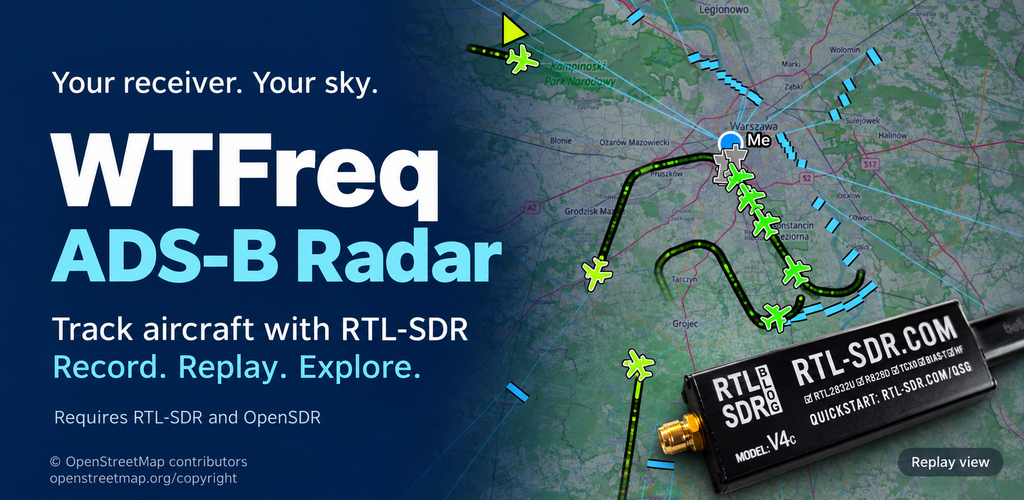
From radio messages to aircraft you can explore.
Receive
Start SDR from the app, follow aircraft trails and inspect reception statistics and packets.
Observe
Use distance, bearing and elevation alongside altitude, speed and available aircraft information.
Revisit
Pause, seek and change replay speed. Explore flight profiles and the coverage you actually observed.
Focus the map with aircraft, altitude and route filters. Create alert rules for aircraft you follow, with optional Early warning before position is known. Some received messages identify an aircraft by its ICAO24 address without providing position, so they can reveal its presence within reception range before it can be placed on the map. Get alerts through in-app messages or Android notifications when the app is in the background. Free uses the first 5 saved custom criteria; each selected group value counts. Built-in emergency alerts are outside this limit.
Keep receiving with the screen locked. Follow your alert rules while using other apps; reception continues without keeping the map open.
Catalog routes and categories may be incomplete or outdated. They are not a live airline schedule.
Weather profiles group available aircraft wind measurements by area and altitude, with optional temperature, humidity, static pressure and reported weather events. Counts, observation times, height spans, vector spread and nearby-aircraft comparisons describe the evidence. New Mode S measurements require updated OpenSDR; direct weather reports are rare and older recordings may contain none. These are local observations, not a forecast or a flight safety service.
See the app in action.
Explore the map, observation panel, aircraft details, replay, saved recordings, coverage, filters and alerts. These screenshots include recorded traffic and the included demo library of real reception sessions.
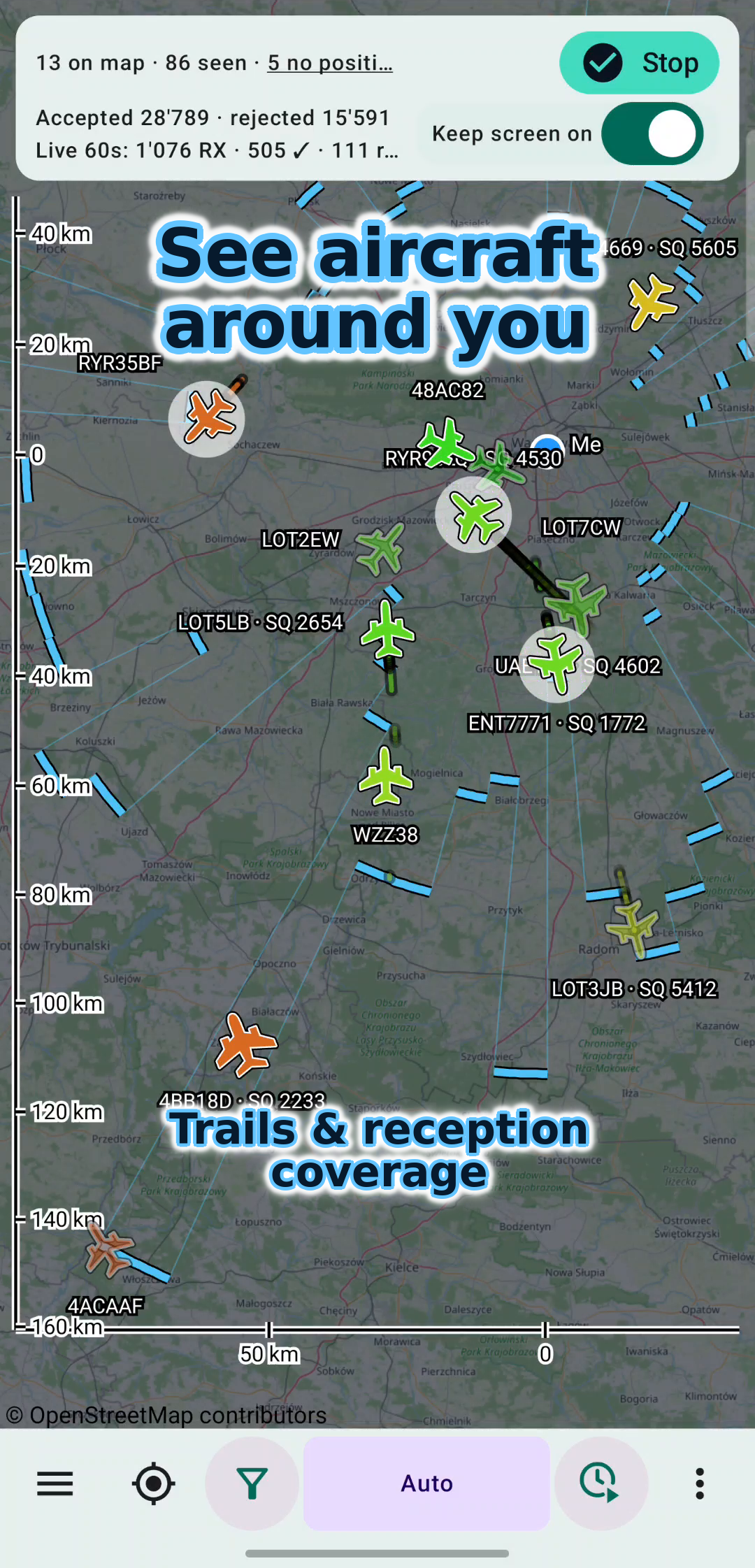
Trails & reception coverage
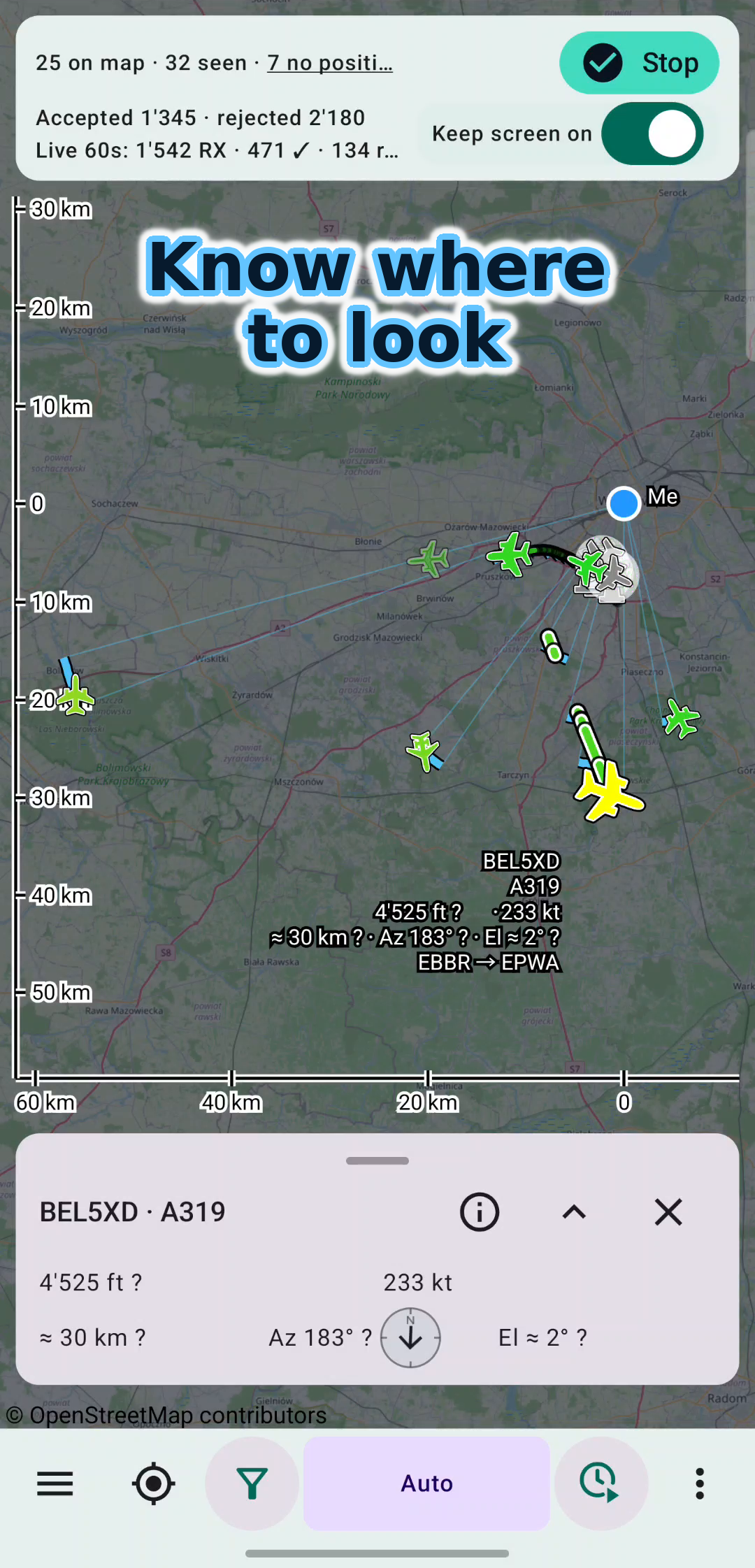
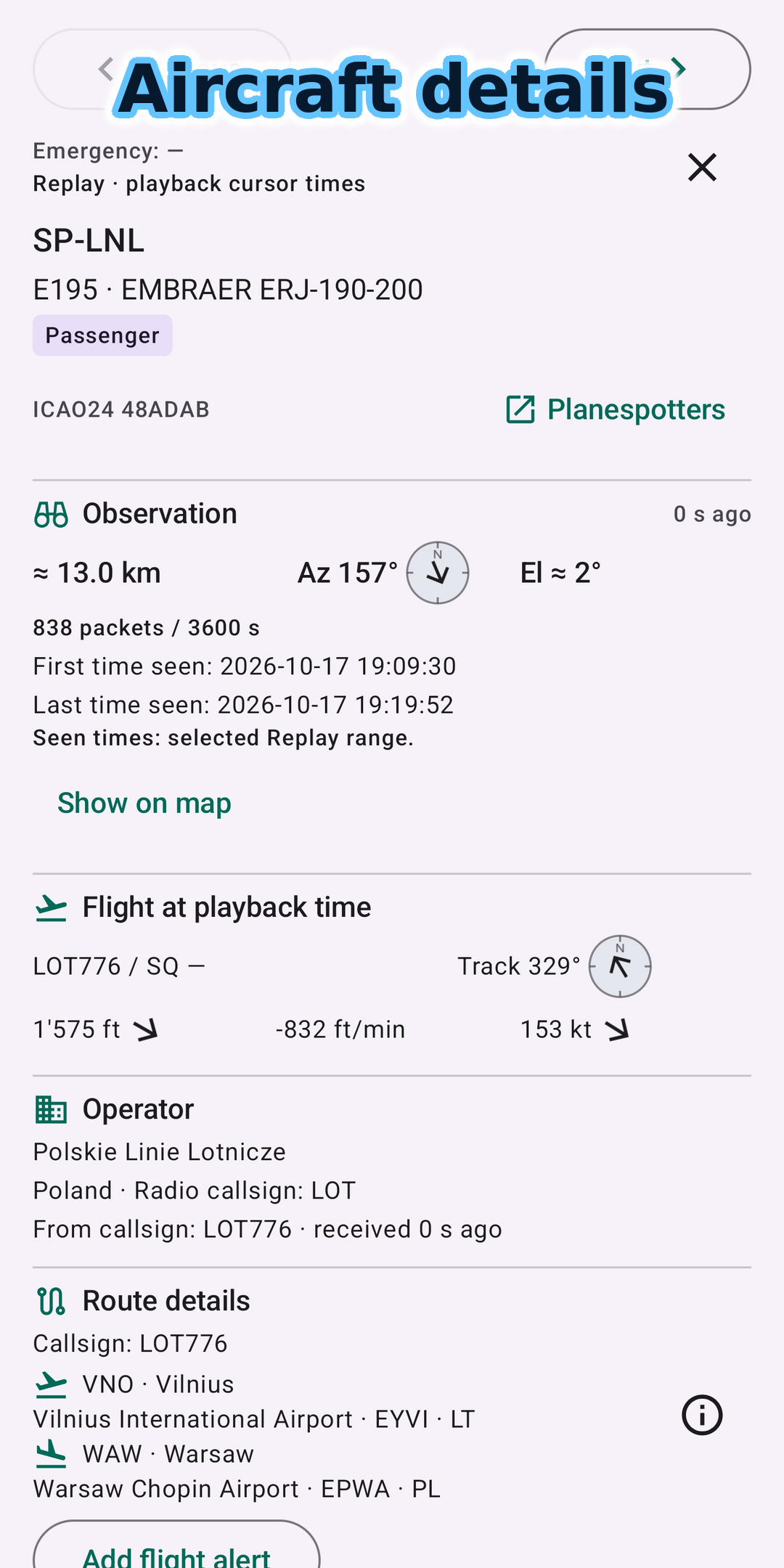
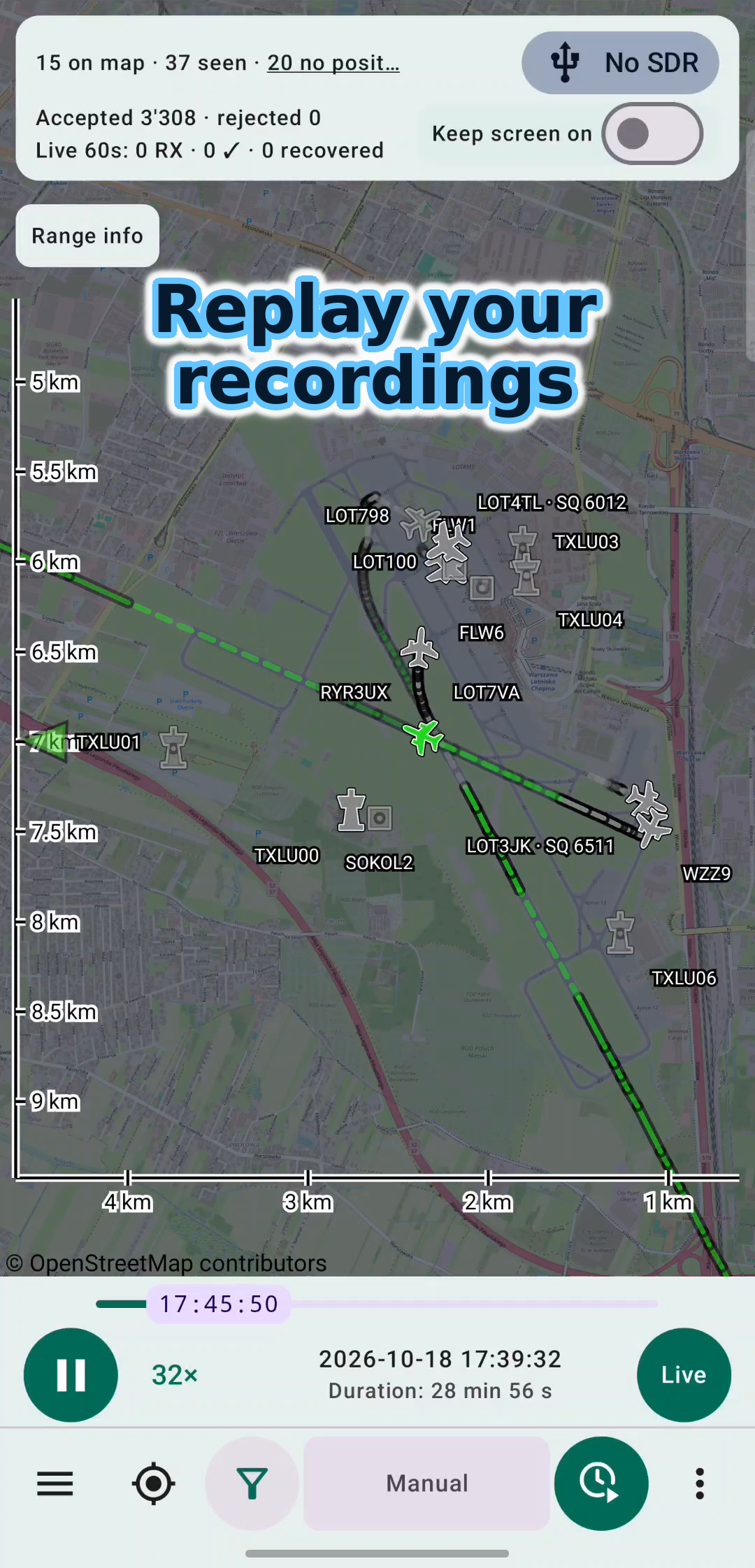
Recorded reception
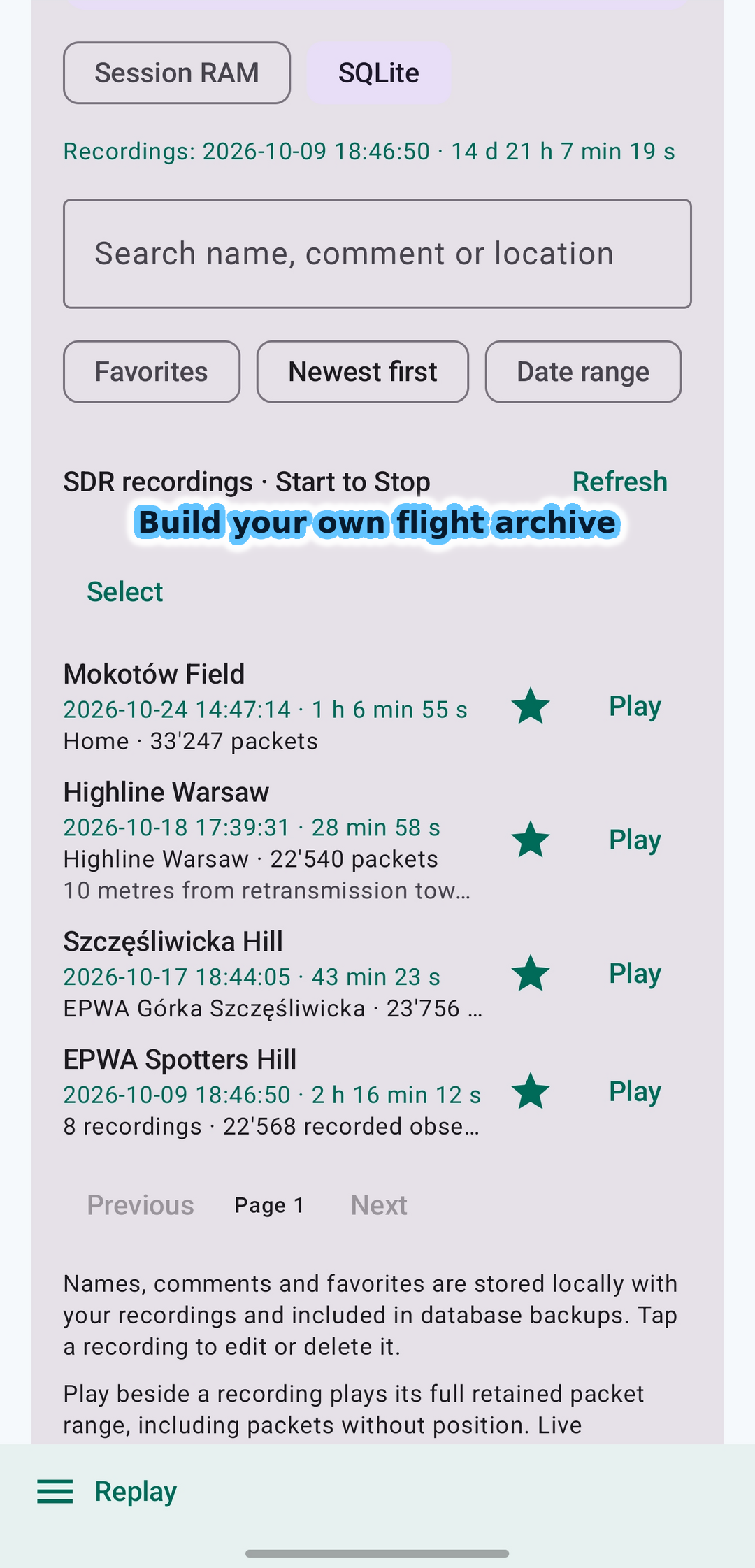
Pro feature
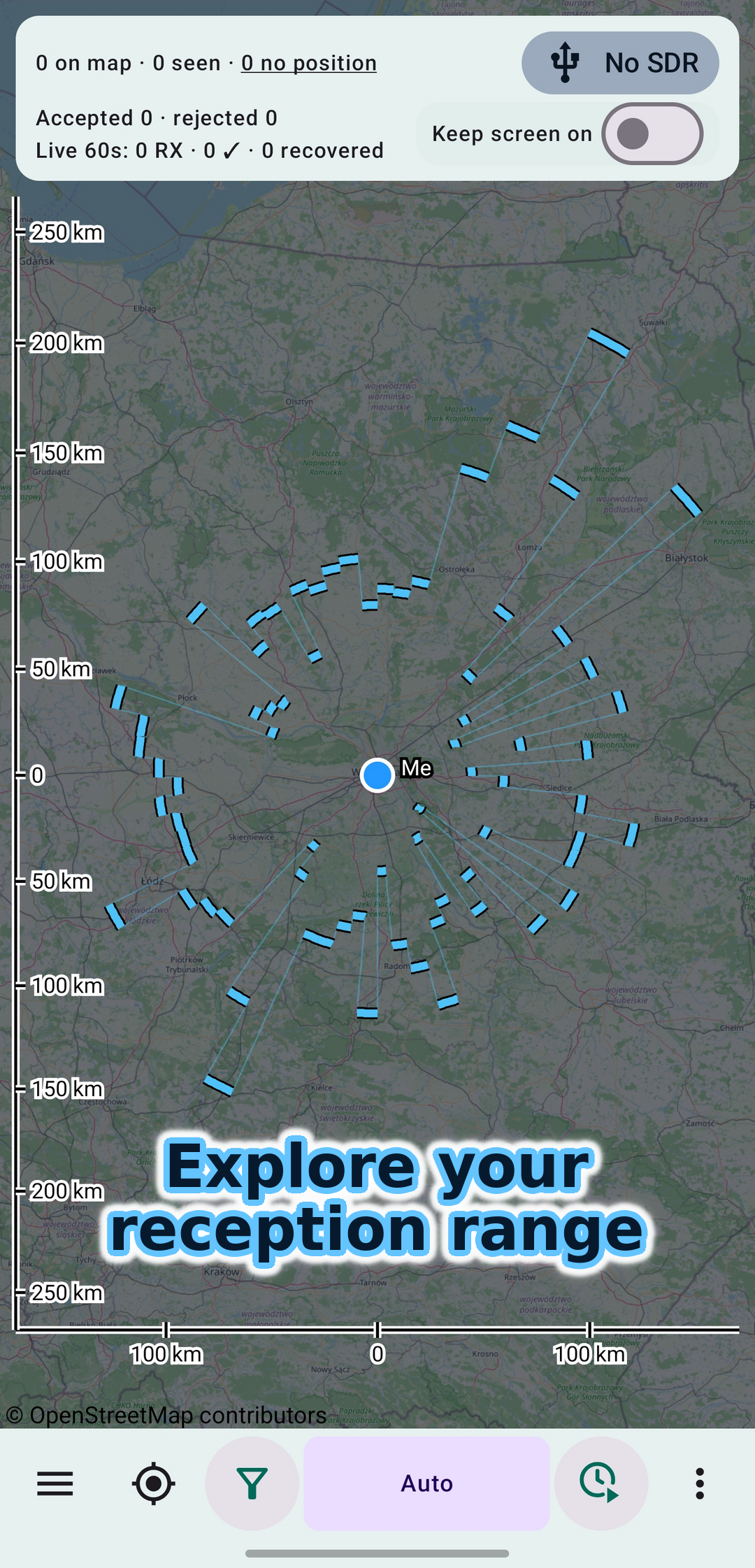
Session / Pro history
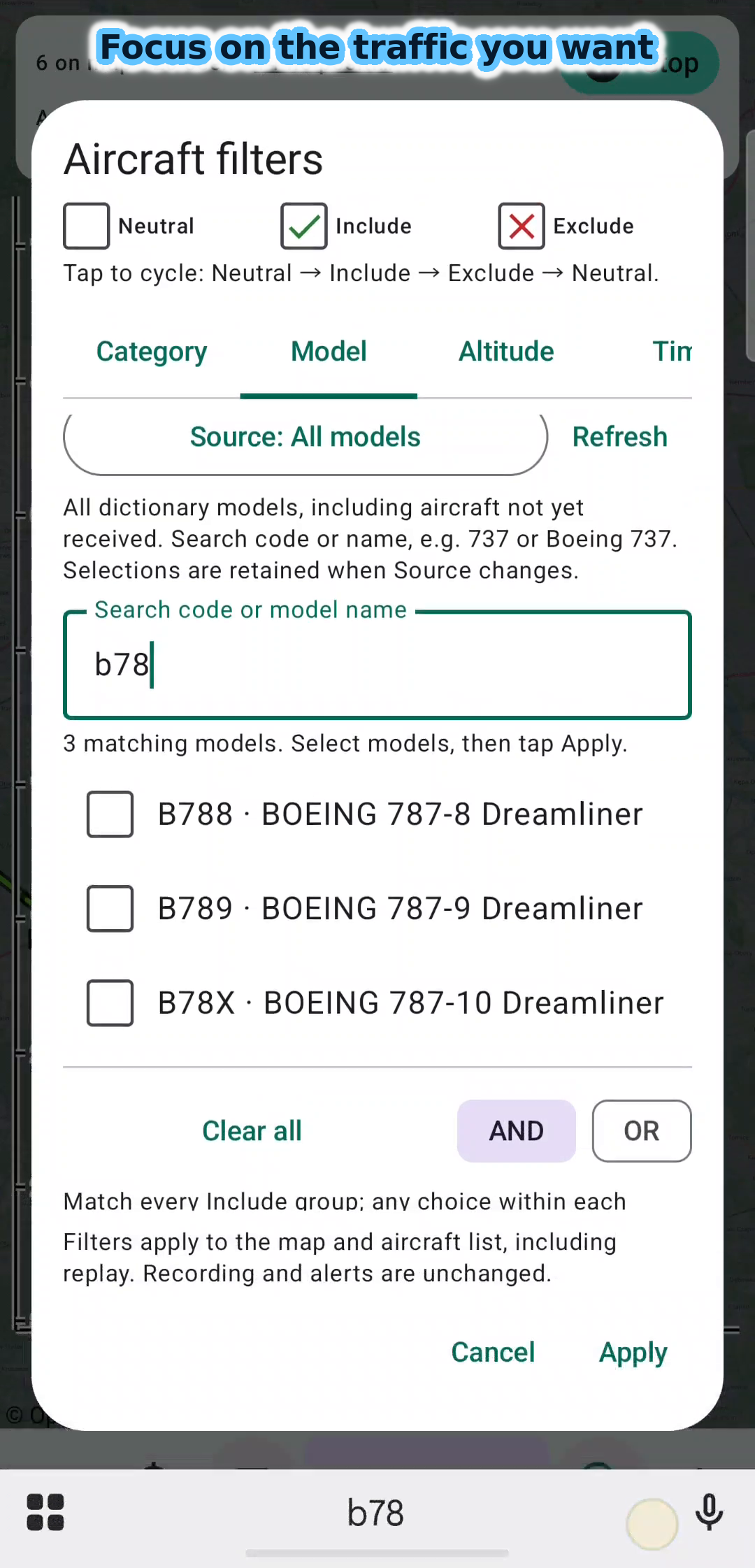
Free
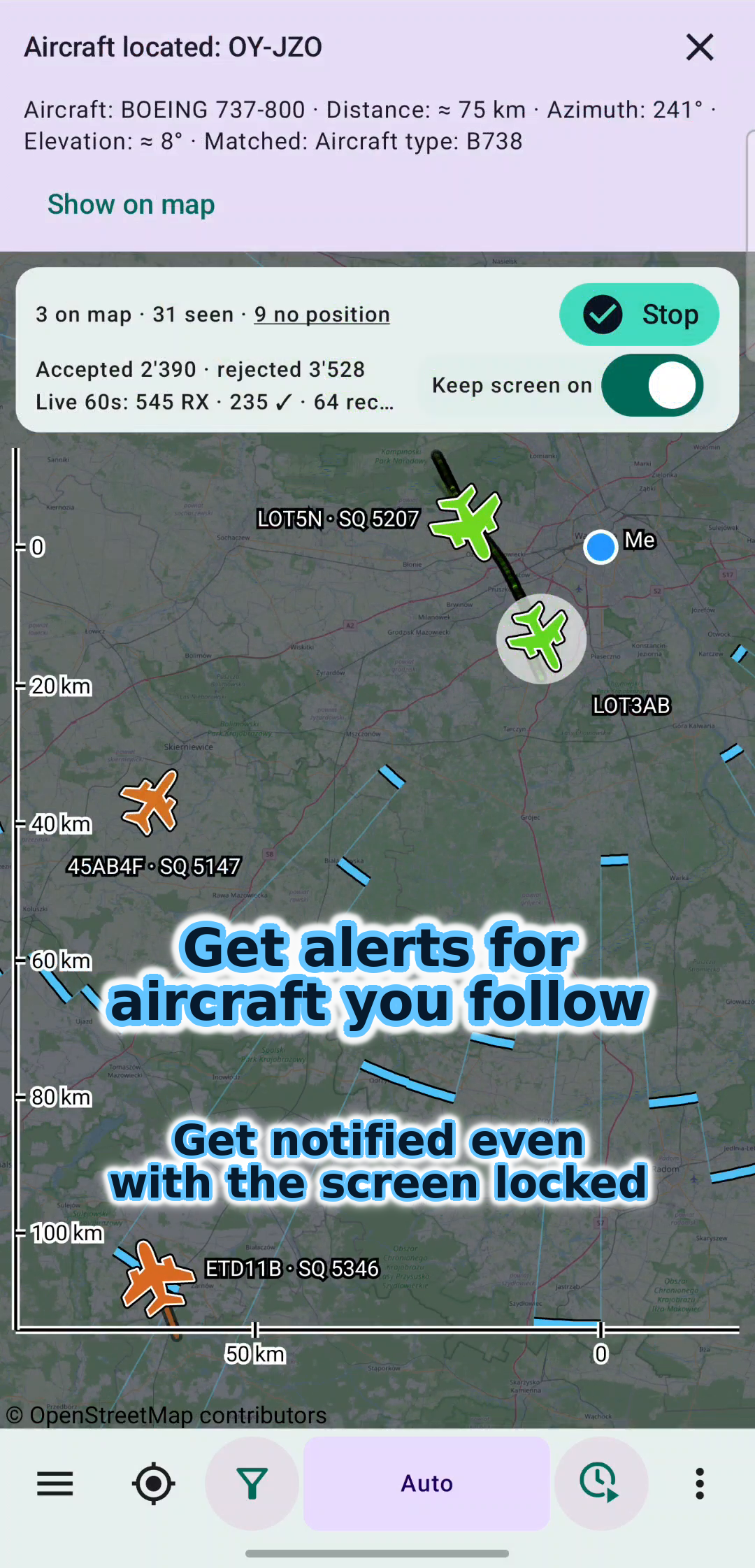
Get notified even with the screen locked
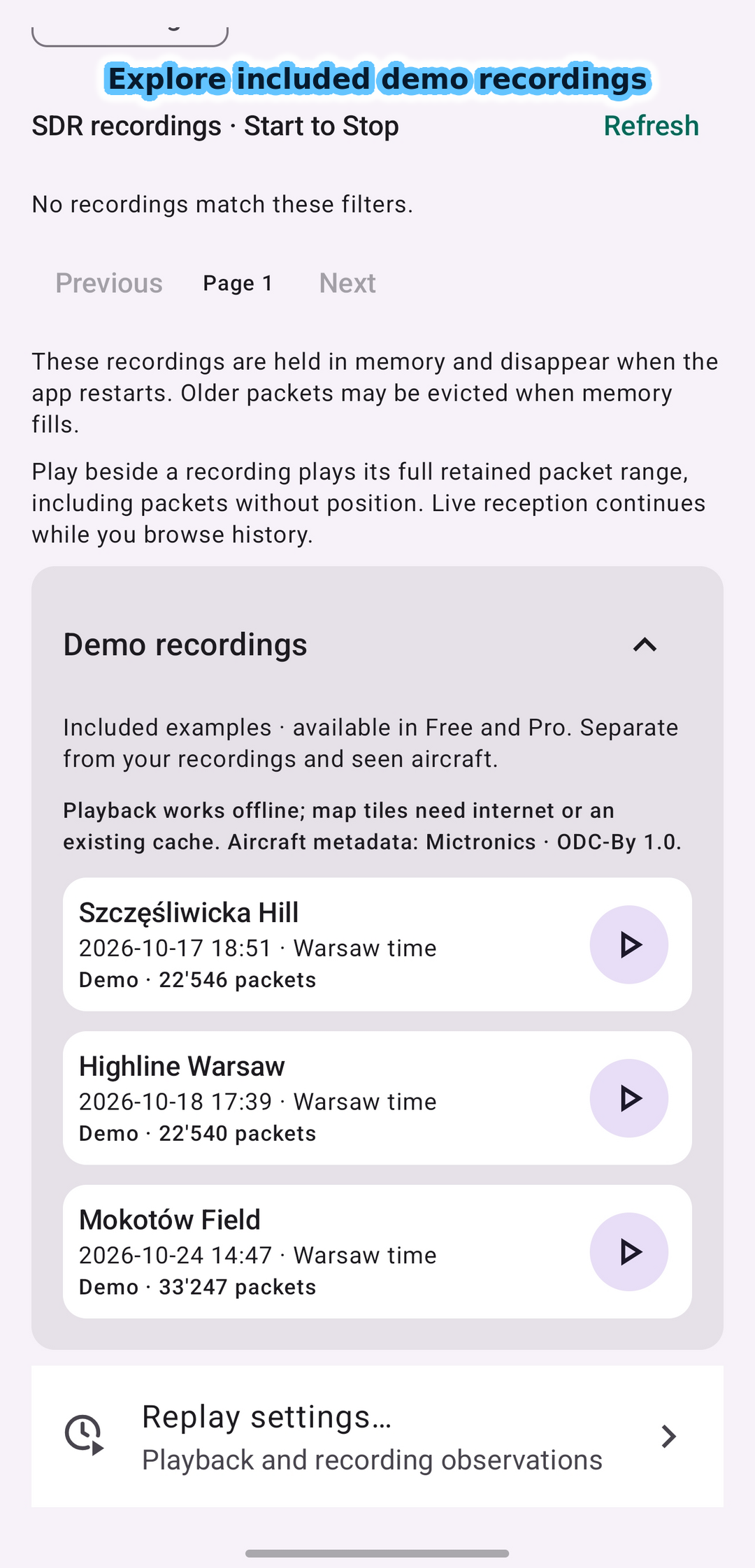
Demo recording
Map data © OpenStreetMap contributors. Select a screenshot to view it at full size.
Explore before connecting a receiver.
The demo library contains real recorded reception sessions from the Warsaw area: Szczęśliwicka Hill, Highline Warsaw and Mokotów Field. Try replay, details, filters and sample coverage without SDR hardware or GPS permission. View the overall traffic picture, then zoom in to inspect detailed aircraft movements, including taxiing at the airport.
Demo recordings are available in Free and Pro and remain separate from your own history. A visible label and recording date distinguish them from live reception. Map tiles still require a connection unless cached.
See the demo recording library
Watch WTFreq ADS-B in action.
See aircraft observation, filters, alerts, coverage and replay in a 29-second introduction.
Press Play to watch here and connect to Google. Video privacy details.
Music: Electric Dreams © Scott Buckley, released under CC BY 4.0. Excerpts edited with fades and level adjustments.
Observe with Free. Build your archive with Pro.
Free includes live reception and session tools. Pro adds your own persistent reception archive and more custom alert criteria.
| Feature | Free | Pro |
|---|---|---|
| Live map, details and filters | Yes | Yes |
| Custom alert criteria | First 5 saved values | Up to 50,000 saved values |
| Alert rule CSV import/export | Yes; first 5 criteria can operate | Yes |
| Configuration import/export | Yes | Yes |
| Aircraft, operator and route catalog downloads | Yes | Yes |
| Replay of the current memory buffer | Yes | Yes |
| Current-session coverage | Yes | Yes |
| Local weather profile | Session RAM: up to approximately 1,500 ft above the observer and pressure altitudes from 29,000 ft | All altitude layers |
| Outer weather sectors and configurable profiles | No | North, East, South, West; own SQLite history |
| Included demo recordings | Yes | Yes |
| Save your reception history locally in SQLite | No | Yes |
| Access to your recordings after an app restart | No | Yes |
| Historical coverage of your own recordings | No | Yes |
| Recording archive backup, restore and merge | No | Yes |
| Packet and observed-aircraft CSV export | Current memory buffer | Local SQLite archive |
Free uses the first five saved custom alert values, counting each value within a group and disabled entries. Importing more rules does not increase this limit. Built-in emergency and interesting-aircraft alerts are outside it. Settings and alert rules remain saved in both editions.
Free reception history uses a bounded memory buffer and does not survive an app restart; older records may be evicted while the app runs. Pro stores valid received frames locally in SQLite, using device storage. Demo recordings remain available in both editions.
Pro is a one-time Google Play purchase. Eligible offers and the local price are shown before purchase. Buy and restore access through Google Play using the same purchase account. A saved, verified purchase allows Pro use offline.
Start receiving.
- Install compatible versions of WTFreq ADS-B and OpenSDR Radio Host.
- Connect a supported SDR and an antenna through USB host/OTG; a 1090 MHz antenna is recommended for ADS-B.
- Allow USB access, select a fixed observer position or GPS and press Start.
- Use Stop to end reception. Ongoing reception can work with the screen locked.
Requires Android 8.0 or newer. Reception depends on hardware, power, antenna, surroundings and aircraft transmissions.
Trying an antenna you already own
Although the publisher owns dedicated airband and ADS-B antennas, he often chooses a small, flexible marine-VHF antenna when out and about. It fits in a pocket and makes the receiving kit easy to carry. For him, that convenience and mobility matter more than maximizing reception range. It is not designed for the 108–137 MHz aviation band or 1090 MHz ADS-B, so reception can be much less effective. An antenna designed for another band can still receive signals: these apps receive only, they do not transmit. This practical example does not guarantee range or reception; a band-specific antenna is preferable for weak or distant signals. Receiver input and Bias-T limits still apply.
Receiver and companion app
Use an RTL-SDR USB receiver capable of tuning to 1090 MHz, such as RTL-SDR Blog V3 or V4. OpenSDR also includes driver support for RTL-SDR Blog V4L. Other SDR families, including HackRF and SDRplay, are not currently supported.
Install the latest OpenSDR Radio Host from Google Play alongside WTFreq ADS-B. The receiver needs USB-host/OTG support, sufficient power and an antenna; one designed for 1090 MHz is recommended. No separate SDR Driver app is needed.
If Android asks which app should handle the USB receiver, choose OpenSDR. Then return to WTFreq ADS-B and press Start; if Activate is shown, use it to initialize the connection.
Questions before you start.
Can connected radio equipment damage my phone?
Electrical faults, antenna surges, lightning or incompatible power connections can damage the receiver and the attached phone. The app provides no electrical isolation or surge protection. Check external power and Bias-T compatibility before connecting equipment, and prepare safely before thunderstorms. Continuous reception also uses battery power and produces heat, even with the screen locked. Read the hardware safety and responsibility information.
Very strong RF signals, especially near transmitting antennas, can overload reception, distort audio or prevent packet decoding. If the manufacturer's input limits are exceeded, the antenna input of the SDR receiver or an external amplifier can be permanently damaged. Electrical faults or surges in connected equipment can also damage the phone or tablet. Distorted reception alone does not mean permanent damage. Software gain settings and the app's Stop button do not guarantee protection. Follow the limits for your exact hardware and use suitable separation and correctly rated attenuation or protection; distance alone does not establish safety.
Does my phone receive ADS-B on its own?
No. Live reception requires an external supported SDR, antenna and OpenSDR Radio Host. The included demo recordings can be explored without this hardware.
Can I receive aircraft and notifications with the screen locked?
Yes. Start reception, then use another app or lock the screen. Keep the SDR connected and powered. Keep screen on is optional and is not needed for background reception.
Alert rules decide which aircraft trigger an alert. Ordinary alerts use an in-app banner by default while you use the app; in the background or with the screen locked they use Android notifications. You can choose system notifications for the foreground too. Emergency alerts use Android notifications immediately.
Allow notifications in Android and enable the alert rules you want. Android controls lock-screen visibility and sound. If reception stops in the background, check battery-saving restrictions for WTFreq ADS-B and OpenSDR Radio Host.
Will I see every aircraft?
No. The app shows what your receiver can decode. Very weak signals may be below its reception threshold, while very strong signals can overload the receiver or amplifier and prevent decoding. Coverage also depends on the antenna, surroundings and aircraft transmissions; some messages do not provide a usable position.
Does it work offline?
Local reception and available recordings do not require an internet traffic feed. Catalog downloads, uncached map tiles, opening links to external aircraft-photo websites and purchase operations can require internet access. The app does not download aircraft photos or previews; it opens the selected photo website in your browser.
Where are my recordings stored?
On your device. The app does not upload received frames or observer positions to the publisher or traffic-sharing services. Exported files are separate copies at the destination you choose and may contain locations. Their storage or subsequent sharing is controlled by you and the file provider you select.
Can I use this for navigation?
No. This is an informational hobby application, not a navigation or air traffic control system.
Support and privacy
WTFreq ADS-B is published by Rafał Czeczótka (Rafał DOT). For help or privacy requests, email rafal.dot.dev@gmail.com or open App support on Google Play. Please remove private locations or other sensitive details before sharing recordings or diagnostics.
Official website: wtfreq.app/adsb/, hosted with the WTFreq website on Cloudflare over HTTPS. Read our privacy information and terms of use and licenses.